Marketers can get practical value from AI marketing automation by learning the triggers-and-actions logic that drives automation tools, using AI to draft landing pages faster, and following how OpenAI's ChatGPT and Google's Gemini change their products. Those three topics anchor the latest edition of Social Media Examiner's end-of-week newsletter. They also describe where day-to-day marketing operations are heading.
The newsletter itself is a short digest. This piece goes further. It explains the mechanics behind automation, covers where AI-built landing pages succeed and fail, and gives social and content teams a framework for acting on these trends.
- Who: Social Media Examiner, in its end-of-week newsletter edition.
- What: AI automation tips, guidance on building landing pages with AI, and industry news about ChatGPT and Gemini (Social Media Examiner).
- Core concept: Automation tools work through "triggers and actions" (Social Media Examiner).
- Audience: Social media and digital marketers who want to save time on repetitive tasks.
How Do Triggers and Actions Work in AI Marketing Automation?
Almost every no-code automation platform uses the same basic logic. A trigger is an event that starts a workflow. An action is what the system does in response. Common examples:
- A new form submission arrives, and the system adds the lead to a CRM and sends a welcome email.
- A blog post is published, and the system drafts social captions and queues them in a scheduler.
- A comment includes a keyword, and the system flags it for the community manager.
Tools such as Zapier, Make and n8n are built around this model. Marketers who already use scheduling platforms run simpler versions of it, as our MeetEdgar review of social media automation shows with content recycling.
AI adds a middle layer. Older workflows could only move data from one place to another. A workflow with an AI step can also transform that data. It can summarize a support ticket, sort a lead by intent, or rewrite a long article into platform-specific posts before passing the result to the next action.
Where marketers should start
The best first automations are tasks that are frequent, predictable and low-risk. A useful test has three questions. Does the task happen at least weekly? Does it follow the same steps each time? Would a mistake be easy to catch before customers see it? If the answer to all three is yes, the task is a good candidate. Tasks that involve brand voice, crisis replies or pricing should keep a human approval step.
Can AI Build a Landing Page That Actually Converts?
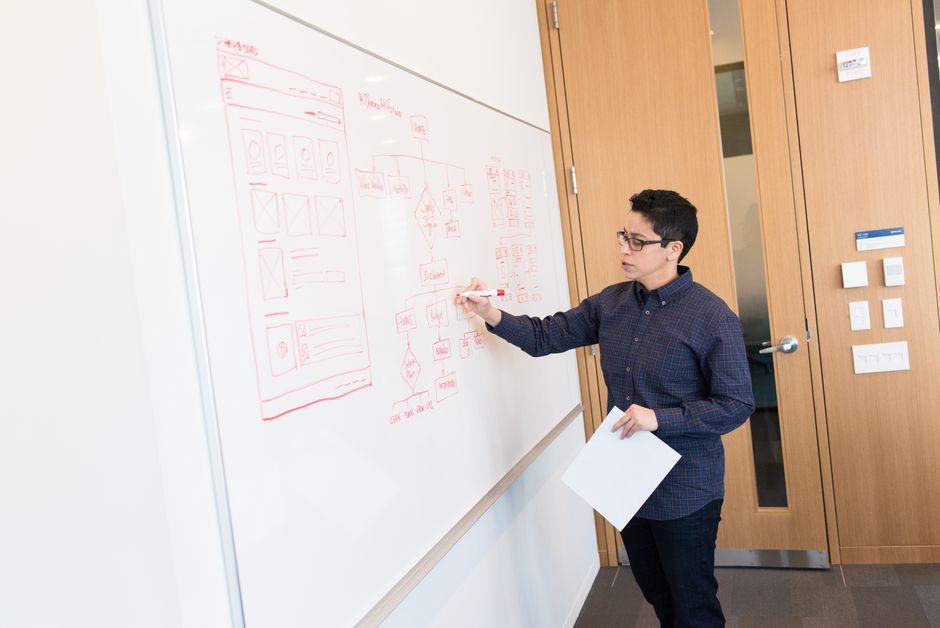
AI page builders and general-purpose assistants can now produce a working landing page draft from a short prompt. That draft includes structure, headlines, body copy and sometimes layout code. This saves a lot of time on the first version. A fast draft is still not the same as a high-converting page.
Conversion depends on things AI cannot know unless someone supplies them:
- The specific objection a buyer has right before signing up.
- The proof points that a particular audience trusts.
- The exact promise made in the ad or post that sent the visitor to the page.
That last point matters most for paid traffic. When the ad message and the page message don't match, visitors leave. Our guide to creative basics for PPC landing pages covers this alignment in detail.
A practical AI landing page workflow
- Brief first. Give the AI the audience, the offer, the main objection, the call to action, and the ad or post copy that drives traffic.
- Generate variants. Ask for several headline and hero-section options instead of one finished page.
- Edit for proof. Replace generic claims with real testimonials, case results or product screenshots.
- Check structure. Compare the draft against a proven framework. Our breakdown of the anatomy of a great B2B landing page works well as a checklist.
- Test, then automate. Run A/B tests on the strongest variants. Once a winner is clear, connect the form to an automated follow-up sequence.
The final step connects both themes from the newsletter. The landing page captures the trigger, a form submission, and the automation handles the actions that follow.
Why ChatGPT and Gemini Updates Matter to Social Media Marketers
Social Media Examiner's edition also includes industry news from ChatGPT and Gemini. The newsletter summary does not give details of the specific announcements. The bigger pattern is still useful for planning.
Both assistants have become everyday tools for drafting content, researching audiences and brainstorming campaigns. Each product update can change what marketers are able to automate, how assistants show brand information to users, and which skills teams need to develop.
Search behavior is part of the same change. More people now ask an AI assistant instead of typing a query into a search engine. This makes clear, well-structured content more valuable to brands. Marketers tracking this should also follow how search engines treat authority signals, covered in our analysis of Google's new SEO guidance.

How Teams Should Prioritize AI Automation Projects
A team will not get much value by adopting every new feature. It will get more by matching each project to a business outcome. A simple way to sort ideas:
| Project type | Typical example | Risk level | Human review needed |
|---|---|---|---|
| Internal admin | Logging campaign results into a spreadsheet | Low | Occasional spot checks |
| Content repurposing | Turning a webinar into social posts | Medium | Edit before publishing |
| Lead capture | AI-drafted landing page with automated follow-up | Medium | Review copy and test conversions |
| Customer-facing replies | Auto-responses to comments or DMs | High | Approval workflow required |
Start at the top of the table and work down as confidence grows. Document every workflow: what triggers it, which actions run, who owns it, and how failures get flagged. Automations that nobody owns tend to break without anyone noticing.
Key Takeaways
- Learn the trigger-action model. It underlies nearly every AI marketing automation tool, and understanding it makes switching between platforms easier.
- Use AI for landing page drafts, not final versions. Real proof, message match and testing still decide conversion rates.
- Connect pages to workflows. A form submission is the most valuable trigger many marketing teams have.
- Track ChatGPT and Gemini closely. Their updates change both how marketers work and how audiences find brands.
- Keep humans in charge of risky steps. Brand voice, customer replies and pricing still need review.
For a wider view of where social teams are investing their time and budgets, see our summary of key trends from the 2026 Social Media Marketing Industry Report.
Frequently Asked Questions
What are triggers and actions in marketing automation?
A trigger is the event that starts an automated workflow, such as a new form submission or a published blog post. An action is what the system does in response, such as adding a contact to a CRM or queuing a social post. Most no-code automation platforms are built on this model.
Can AI build a complete landing page for a campaign?
AI tools can quickly produce a usable draft with structure, headlines and copy. That draft still needs human editing to add real proof points, match the ad message that sends traffic to it, and pass A/B testing before it can be trusted to convert well.
Which marketing tasks should be automated first?
Start with tasks that are frequent, predictable and low-risk, such as logging campaign data or repurposing content into draft posts. Customer-facing replies, crisis communications and pricing decisions should keep a human approval step.
Why should marketers follow ChatGPT and Gemini news?
Updates to these assistants change what marketers can automate and how audiences find information about brands. Following them helps teams adjust their content and workflows before competitors do.